

Get the latest data from your Oscar subscription
Choose a targeted download, a complete file, a changes feed or an API connection. This guide explains when to use each and how to get started.
Start with your subscription
Log in to the Customer Area and choose the database subscription you want to use. The four access routes below are included with your database subscription at no extra cost.
Screenshots show the Oscar Selection Tool in October 2026. Subscription names, counts and available options will vary by account.
Standard data is supplied as CSV, which you can open in Excel or use in your own systems. See the field structure for the available columns.
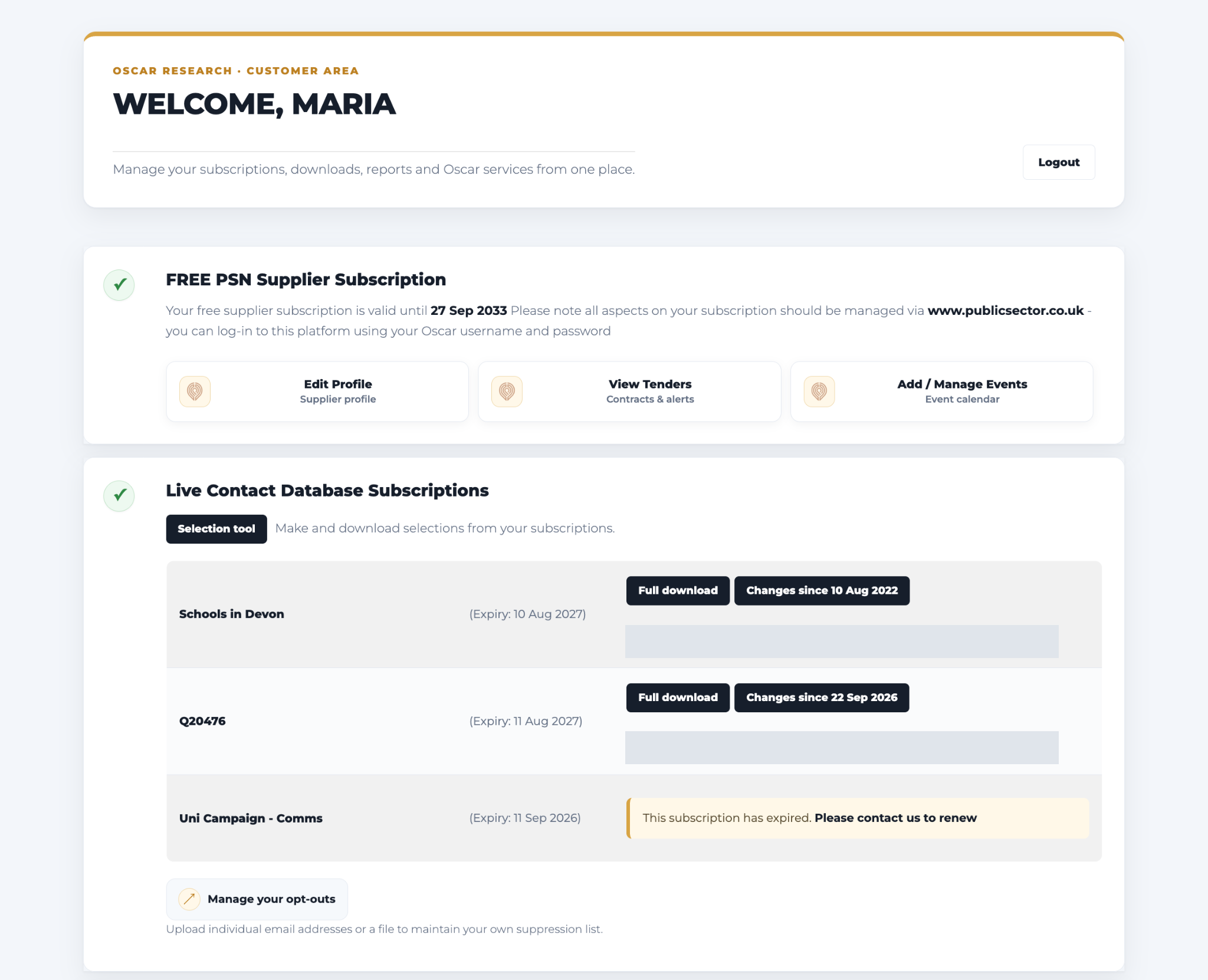
Choose an access route
Build a selection
1. Choose your subscription
Open the Selection Tool and choose your subscription. Select Next.
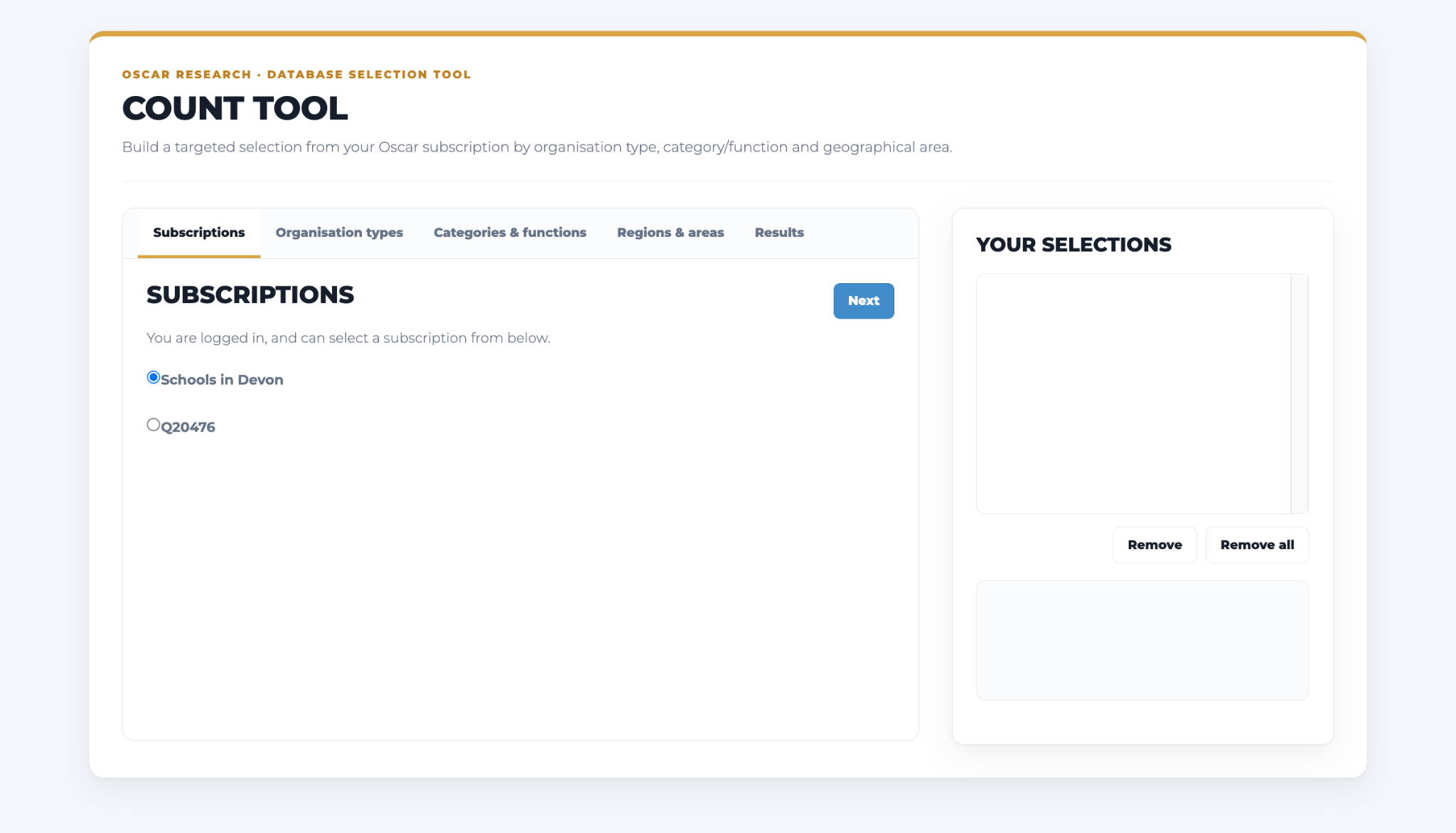
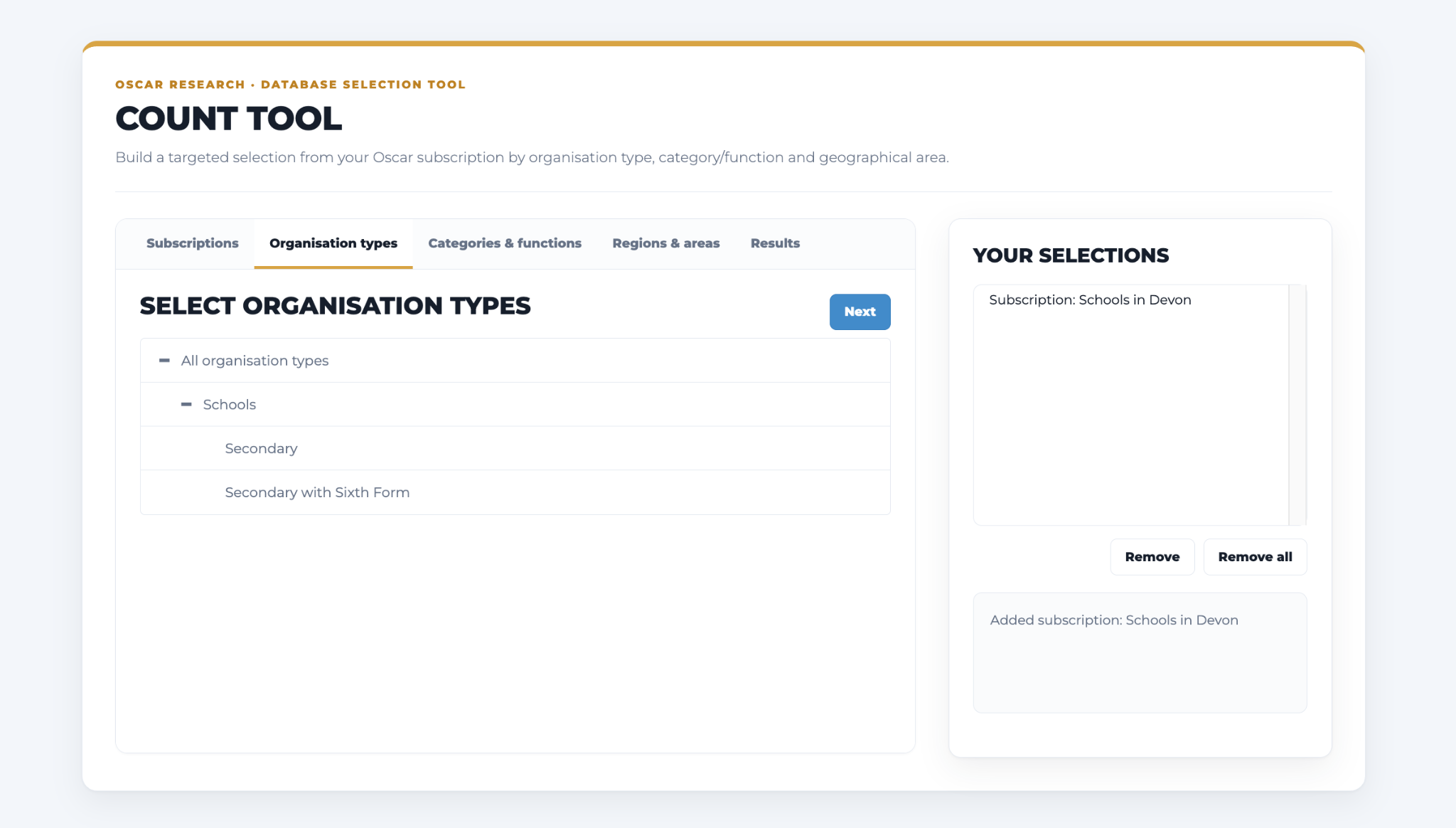
2. Choose organisation types
Choose organisation types. Expand groups with the + control, or select all types.
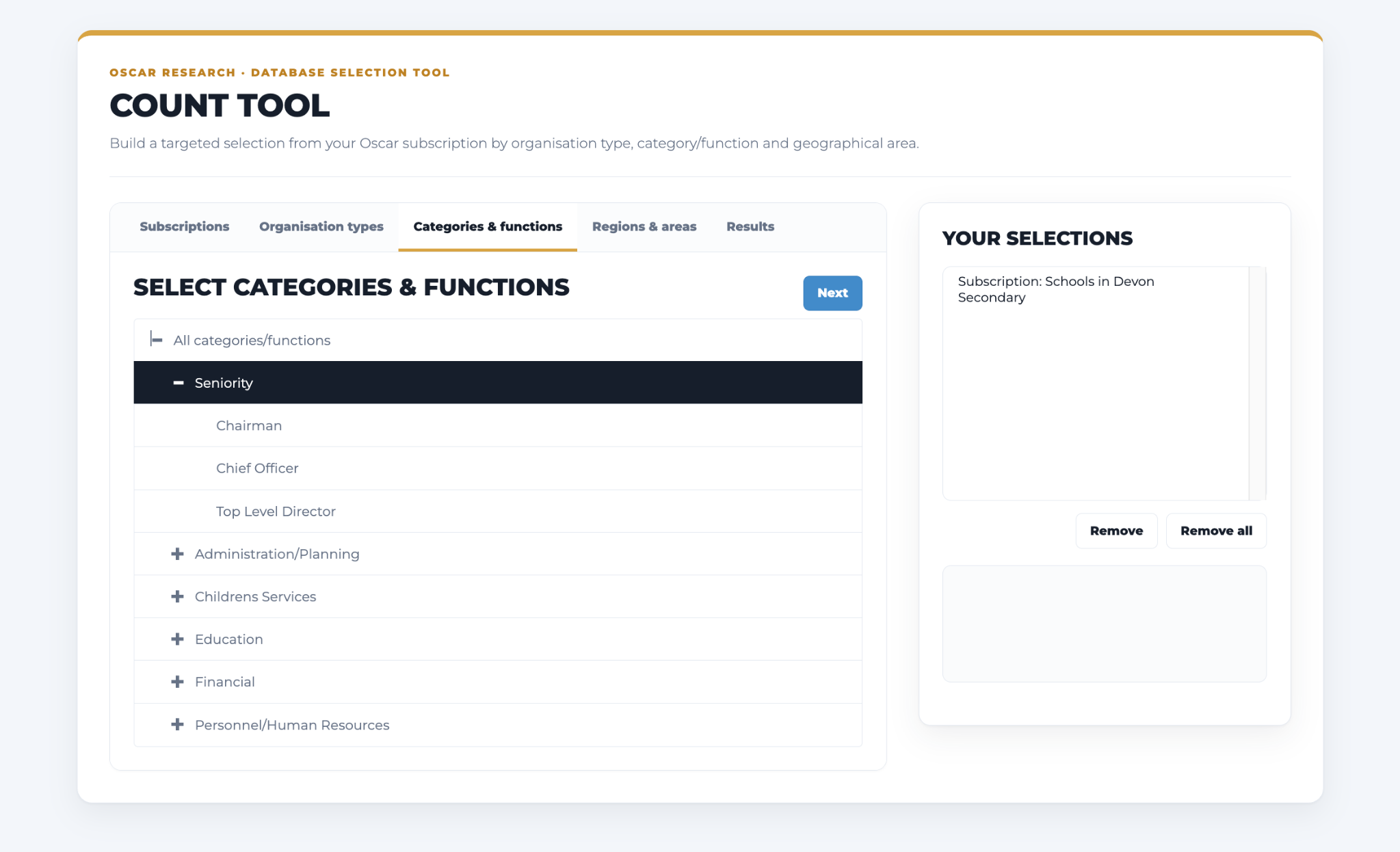
3. Select functions
Choose the postholder functions you need. Use the category descriptions to understand each responsibility.
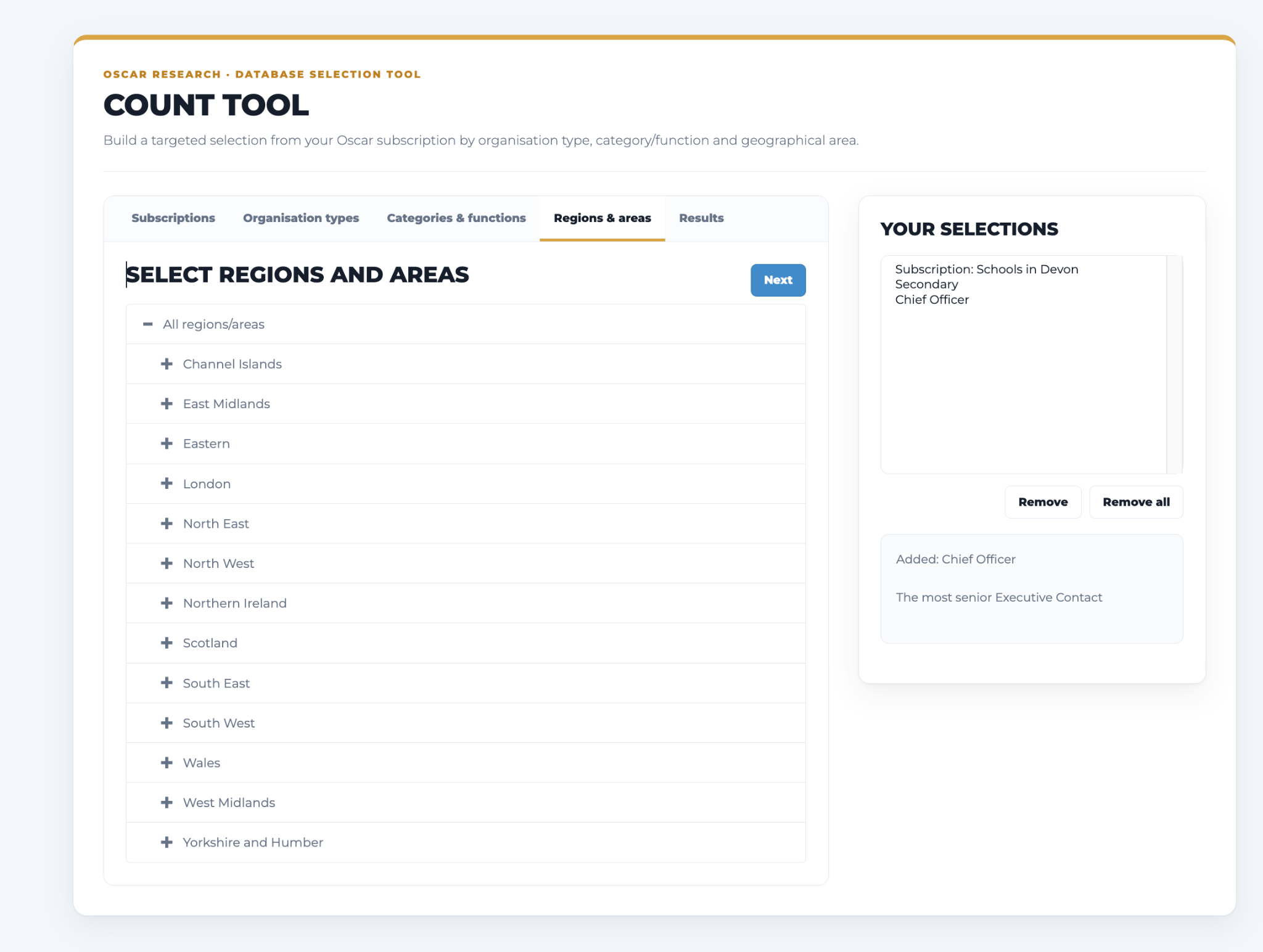
4. Set the geography
Select geographical areas.
5. Check and download
On Results, select Show Field Coverage results or one of the results tabs to check your counts. Select Email only if you only want records with a direct email address. Under Downloads, select Request full download, or enter a date and select Changes download.
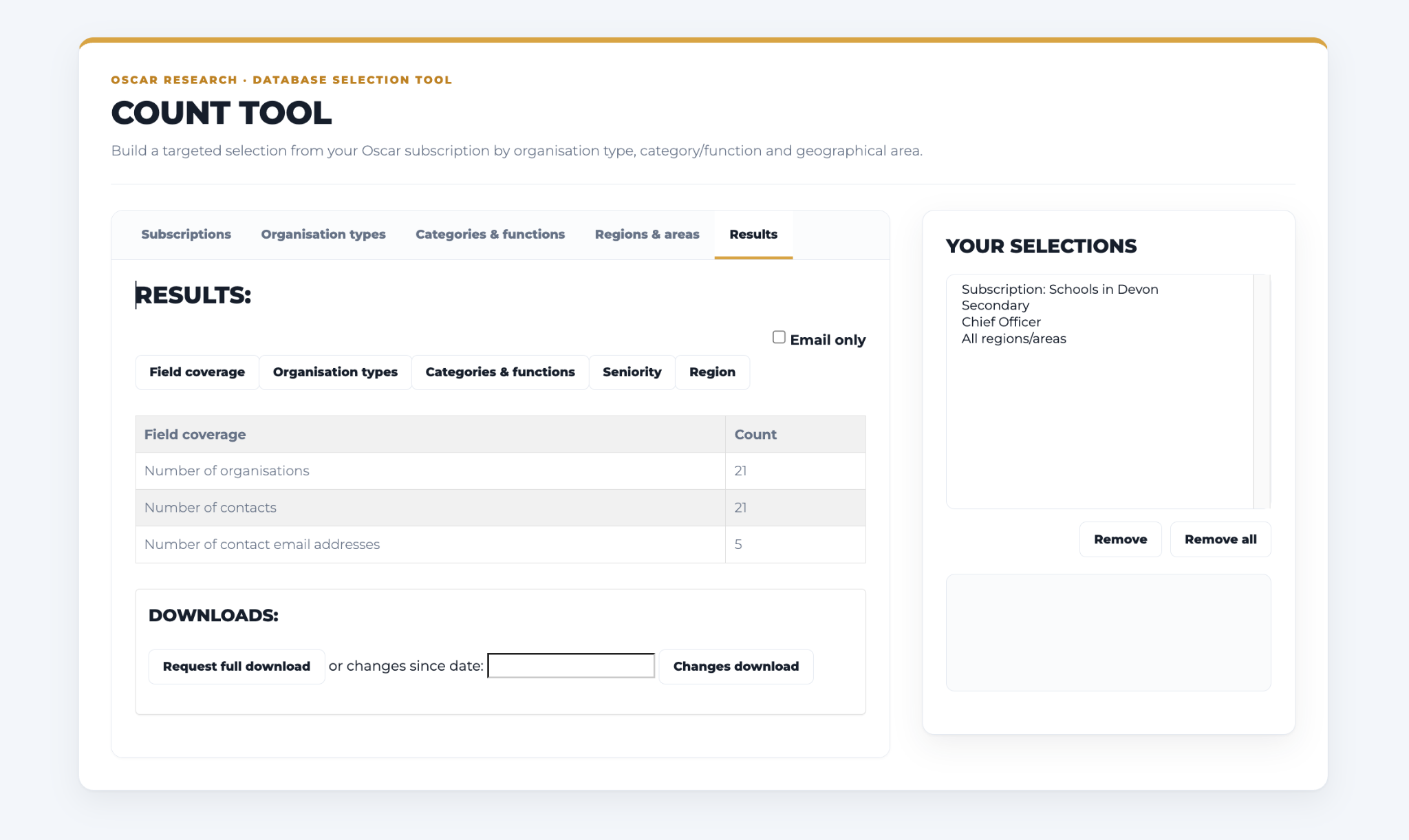
To download changes from a date you choose, enter it in the changes since date field on Results and select Changes download.
Download the full dataset
Select Full Download against your subscription to get the latest complete copy of the data. Use this when you need a fresh file or the starting point for an ongoing update process.
Keep your existing file up to date
Changes Since returns records changed since your last full download. The final field identifies each record as New, Changed or Deleted.
- New: add the record to your file.
- Changed: update the existing record.
- Deleted: remove the record from your active dataset.
Apply all three change types so your copy reflects the current subscription.
Use your subscription URL
Your subscription has a unique API/webservice URL in the Customer Area. It authorises access to your licensed data and returns the latest data as CSV.
Get the complete current dataset
Use the URL as supplied. When maintaining a copy of the same subscribed selection, records missing from a successful, complete feed should be treated as deletions. Date Changed and Date Added help identify updated and new records.
Get changes since a date
First take a complete copy. Then add ?since=YYYYMMDD to your subscription URL. For example:
https://www.oscar-research.co.uk/api/YOUR_PRIVATE_TOKEN?since=20261001This example requests changes since 1 October 2026. The changes feed includes new, changed and deleted records.
| Field | What it tells you |
|---|---|
ChangeDate | When the record changed |
DeleteDate | When the record was deleted |
CreateDate | When the record was created |
OrgDelete | Deletion date for the linked organisation |
SiteDelete | Deletion date for the linked site |
Change | Summary of the change type |
Ask your technical team to apply updates daily or weekly. We can help them plan how new, changed and deleted records are handled.
Connect Excel or Google Sheets
You can connect your subscription URL to a spreadsheet and refresh the data without repeatedly importing files. Follow the Excel and Google Sheets guide.
For bespoke formats, feeds or delivery requirements, talk to us.
For other products and account features, see the Customer Area Guide.
Need a hand?
Contact your account manager, call 0330 128 9892 or email hello@oscar-research.co.uk.